Files
Each agent's desk holds files that belong to them. Drop a spec, a CSV, a screenshot — the agent can read it.
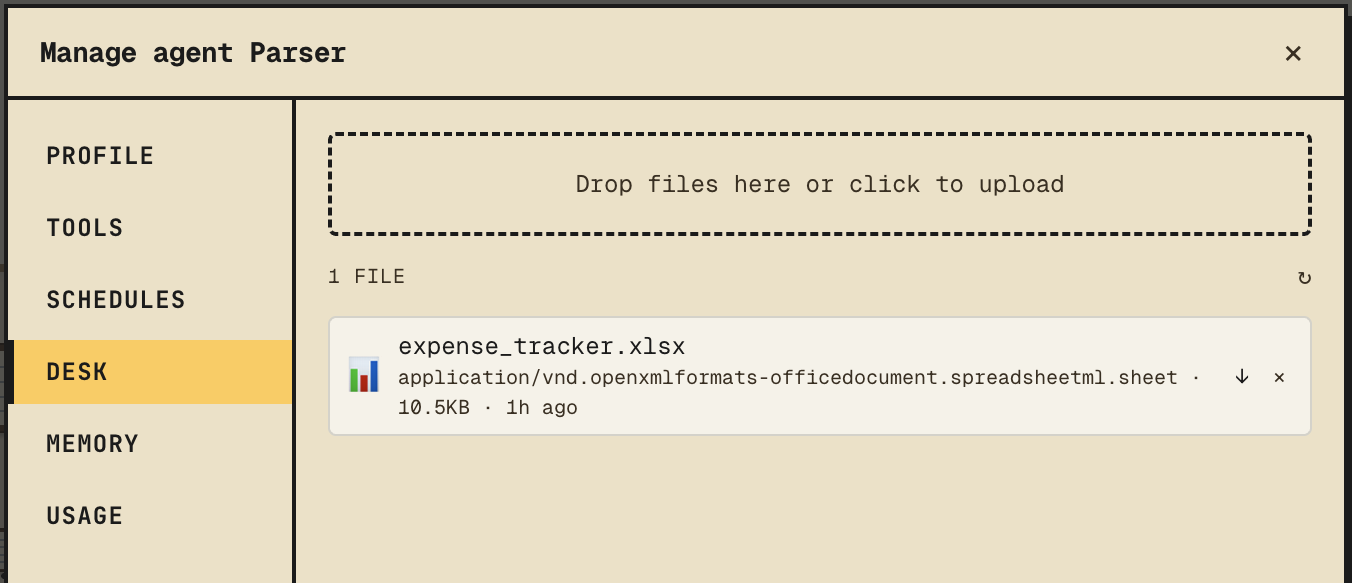
Upload
Open the agent → Desk tab. Drag files in or use the upload button. They're stored on the Anthropic Files API and attached to that agent.
What the agent sees
The agent has tools to list and read everything on its desk. Reference a file by name in chat:
"Look at
q4-plan.mdon your desk and tell me what's missing."
The agent doesn't need a path — desk files are visible by name.
Chat attachments
You can also attach files directly to a single message from the chat composer. Use this for one-off images or context that doesn't belong on the desk long-term. Chat attachments live with the message; desk files persist.
Files the agent makes
Agents can write files back. A spreadsheet, a PDF, a markdown report — they show up as attachments on the agent's reply, and you can download them. See Work → Files.
Tip
Keep desk uploads to things the agent will reference repeatedly. Use chat attachments for the rest.