Chat basics
Click an agent — the chat sidebar opens.
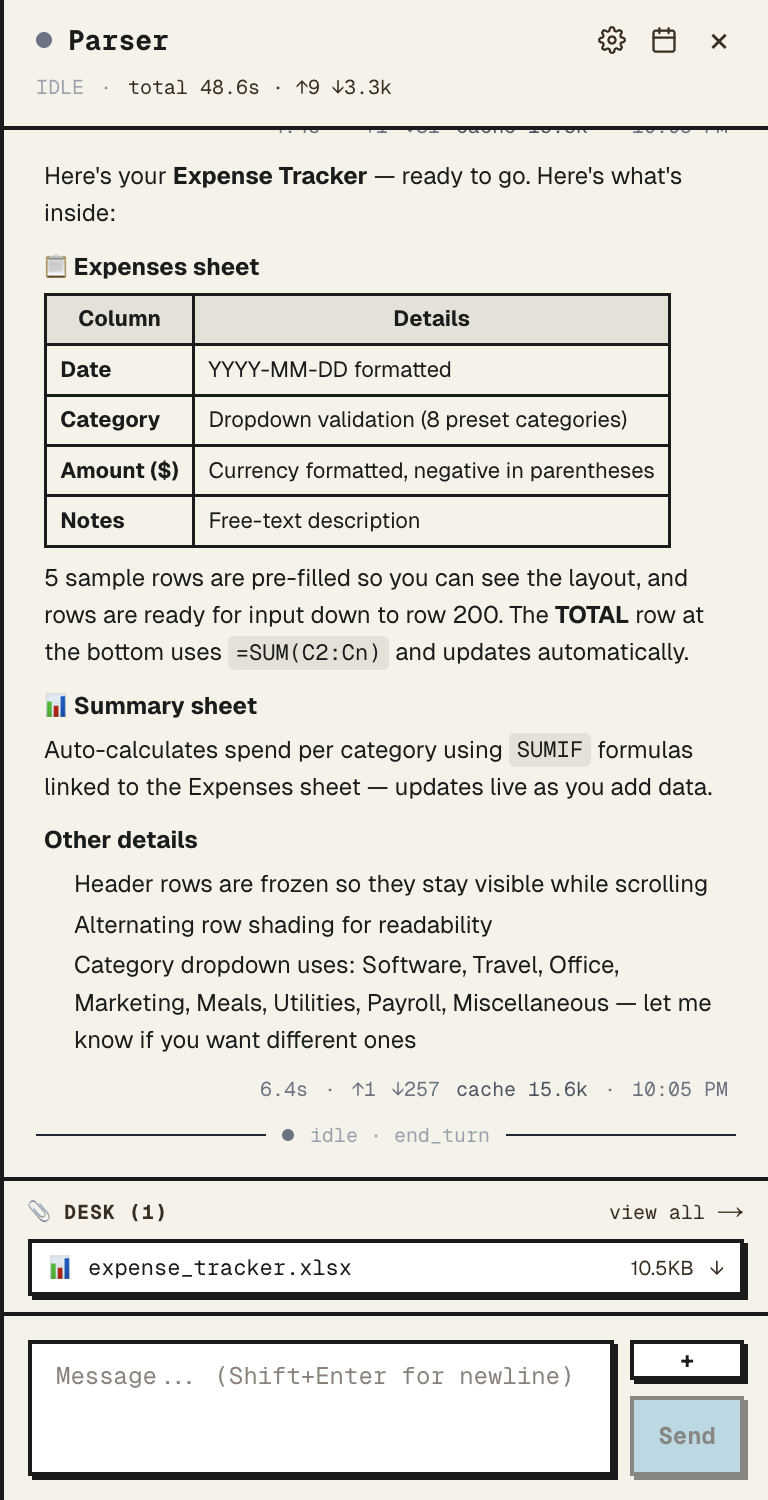
Sending
Type, hit enter to send, shift+enter for newline. Replies stream in token by token. Tool calls and file reads show inline as cards.
Sidebar header
Above the messages:
- Agent name and role
- Current zone (desk, pantry, etc.)
- Token usage on this session and the running cost
- Buttons: profile, memory, files, schedules, meetings
If the agent is over budget or needs_reset, banners show here.
Attachments
Paperclip icon in the composer. Attach images, PDFs, documents — the agent reads them as part of that message. For files the agent should keep around, use the desk instead. See Files.
Stopping a reply
While the agent is streaming, the send button becomes a stop button. Stop cancels the in-flight call.
Markdown
Both directions render markdown. Code blocks, lists, headings, links — all work. Code blocks include a copy button.
Tip
Mention another agent by name and your agent will reference them in its plan. They don't see the message — for cross-agent work, use meetings.