Profile editing
Open an agent → Profile tab. Fields split into two groups based on whether they touch the system prompt.
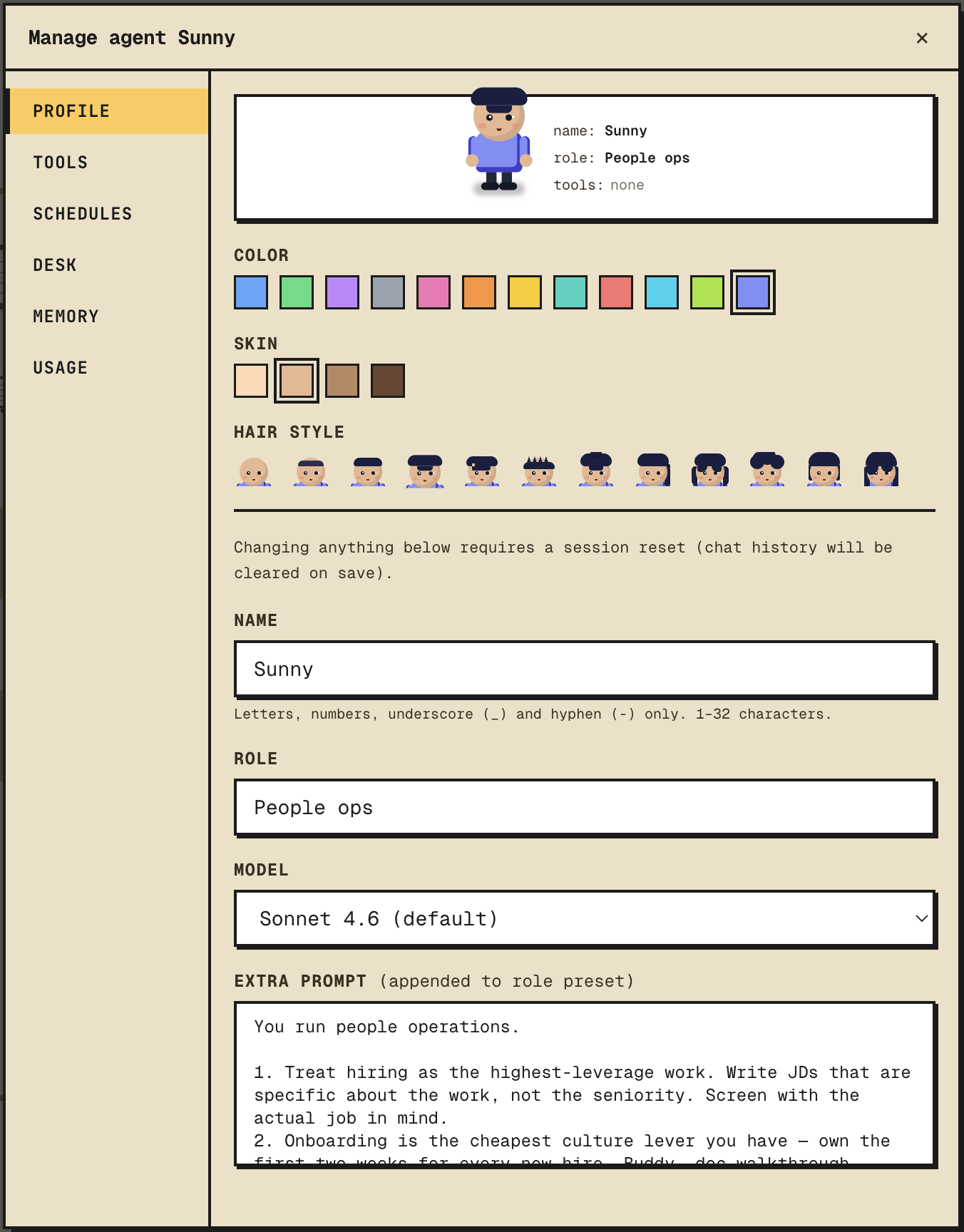
Cosmetic — applied immediately
These don't affect the session. Saved and reflected on the next render.
namecolorhairskin
Behavioural — triggers needs_reset
These rewrite the system prompt, so the current session would drift from its setup. Saving any of them flags the agent as needs_reset.
rolemodelextra_prompt
After saving, the chat header shows a banner. Click "Reset session" to start a new session — the previous session is summarized and the summary is prepended to the new one. Until you reset, the agent keeps running on the old prompt.
Resetting
You can also reset from the right-click menu on the agent (sidebar or office). See One agent, one session for what happens during reset.
Tip
Iterating on the extra prompt? Edit, reset, send one message, repeat. Cheaper than tearing down the agent and rehiring.